How to add an in new window link
You can add an in new window link using either the desktop editor or the web editor. This example uses screenshots from the desktop software but the process is the same in both editors.
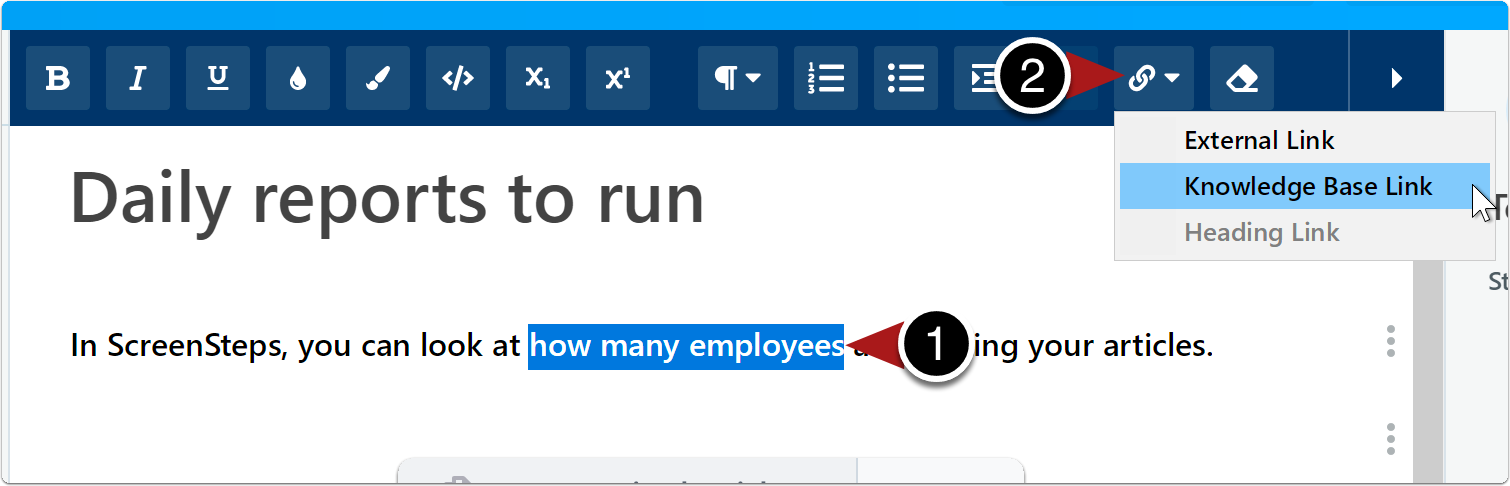
Select text > Click Insert Link icon > Select Knowledge Base Link
Locate article
- Click the manual.
- Click the chapter.
- Click Link next to the article title (or click on the article if you want to link directly to a heading in the article).
You can also search for an article title. When you locate the article, click Link next to the title, same as you would normally do.
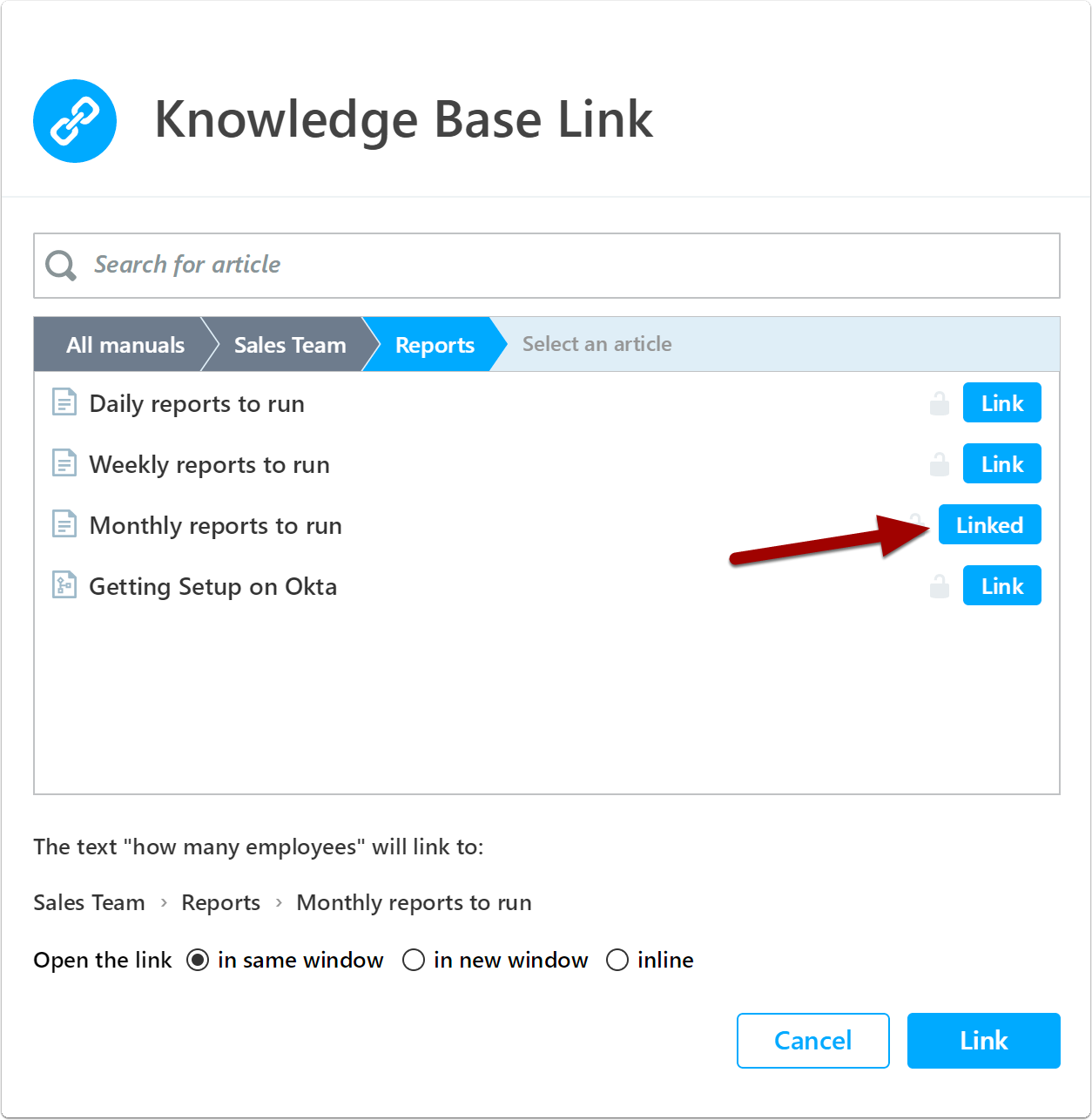
Select inline > Link
After you select the article, make sure to 1) click the in new window option before you 2) finalize the link.

0 Comments
Add your comment